


PinChat
UI and UX Design
Project Type: Solo project. Timeline: October 2021. Tools: Figma, Adobe Premiere Pro
Skills: UI prototyping & UX design
Overview
PinChat is a conceptual mashed up application of two popular social medias, Pinterest and WeChat.
In this project, I would be studying about creating micro-interactions and practice exploring new digital prototyping tool by developing an interactive Figma prototype for this conceptual mashed up application.
New Features

01. Quick Browse Window
Explore ideas with less effort and time.
02. Collection Sharing
Share your visual collection with all your friends!

03. Quick Access
Present your ideas in no time.
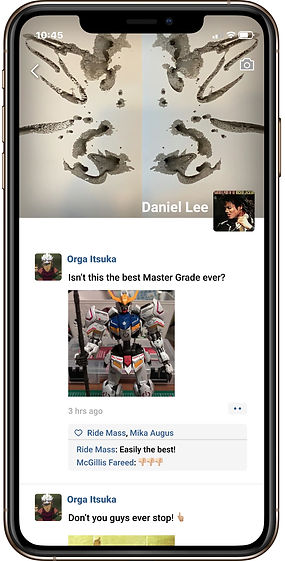
04. Visit Friends' Collections
Discover more surprises from friends.


Challenge
'Design a new app that combines two non-obviously related existing apps in a way that modifies people’s behavior through the use of micro-interactions, and the effective use of controls.'
Process
Ideation
As a designer, I always need references for creation purposes. Pinterest is my favorite visual discovery engine and I enjoy using all its features. But when it comes to making a team project, I wish there is more features in Pinterest that allow me to communicate more efficiently and effectively with my teammates.
Through this project, I can finally try to create what I had always been imagining. This is how I made my decision on combining Pinterest and my most used social media, WeChat, together.

+

Combining Advantages
Even though Pinterest has very convenient features for exploring and saving visuals but users cannot communicate with each other except the leaving comments below images.
On the other hand, WeChat is a social media which don't support much on image exploration but mainly focus on delivering messages and remote interaction with friends.
Concept
I came up with a few concepts for features that I am going to create in the mashed up app:
-
Users will be able to share and comment below each other's boards of image collections.
-
Users will be able to utilize any image they saved in the board within chat.
-
Users can either search or randomly visit friends’ boards.

Concept Drafting
I decided to use WeChat as the prominent base app and use Pinterest as the secondary app in the combination. Since WeChat involves more diverse functions and tools as a social media, it has more adaptability to extensions.

User flow of the new features


Image Exploration
Pinterest
Pinterest allows users to discover images and create boards of image collection.
Communication & Interaction
WeChat
WeChat allows users to make both private or public interactions.
Provisional Persona
I then created a persona for the this mashed up application. The target audience of this application are anyone who like to explore images and communicate efficiently.


Design
Key Wireframes
And then, I started to create wireframes for the key frames. Here are some key wireframes:
-
Incorporating Pinterest feature into WeChat


-
Sharing Boards of Collection


-
Visit Friends' Board


-
Quick Access of Sharing Collected Ideas.


Micro-interaction
Change in color and size can generate calm and effective feedback for users.
A few micro-interaction examples


Icon
I decided to keep both Pinterest and WeChat's attributes. I combined the pointy pin and the text bubble spirit from both icons, and I came up with this icon.


